哈皮实验室 OCR 基座框架,打造 Brady IPS 三线产品:扫描枪 · 固定式 · Android
三个产品,三次发布。 扫描枪 OCR —— 让扫描枪的眼睛看懂世界。固定式 OCR —— 读得懂字符,分得清好坏。Android OCR —— 让 PDA 也有...
 HappyLab shared on Sep 13, 2026HappyLabshared on Sep 13, 2026
A barcode scanner beeps all day — and reads nothing but barcodes.
Ask it for the printed serial number on a label, a batch code, an expiry date or a document reference, and it has nothing to say. Those are printed characters, not encoded data, so there is no symbology to decode. Until now, that meant either typing the value by hand or keeping a separate OCR workflow — slow, error-prone and rarely worth the trouble on a busy line.
Android-OCR turns an Android PDA into an OCR terminal. It runs on the device as a background service, reads printed text through the built-in camera or scan engine, and types the result straight into whatever field has focus. Press the scan key and the value appears — the same gesture your team already uses for barcodes.
Everything is computed on the device. No network, no server, no image ever leaves the PDA.
TIP
New global site. The product interface is currently in Chinese while we finish the English build — it ships in October 2026. In the meantime, tell us what you need and we’ll set up a fast, tailored version for you: sales@happylab.me.
Android-OCR is not an app you open and operate — it is a background service that becomes part of the device:
1 | Business app (cursor in a field) |
Unlike a barcode plug-in, which decodes 1D/2D symbols, Android-OCR reads the printed text on cards, labels and documents — serial numbers, batch codes, dates, and everything else that has no encoding rule to decode.
Both paths feed the same recognition pipeline. You pick one in settings.
| Mode | Source | Best for |
|---|---|---|
| 📷 Camera | Preview and capture via CameraX | Free framing, wide fields of view |
| 🔦 Scan engine | The PDA’s built-in scan engine (Brady IPS scan-engine framework) | Devices with no camera, a camera in use, or where scan-head LED illumination helps |
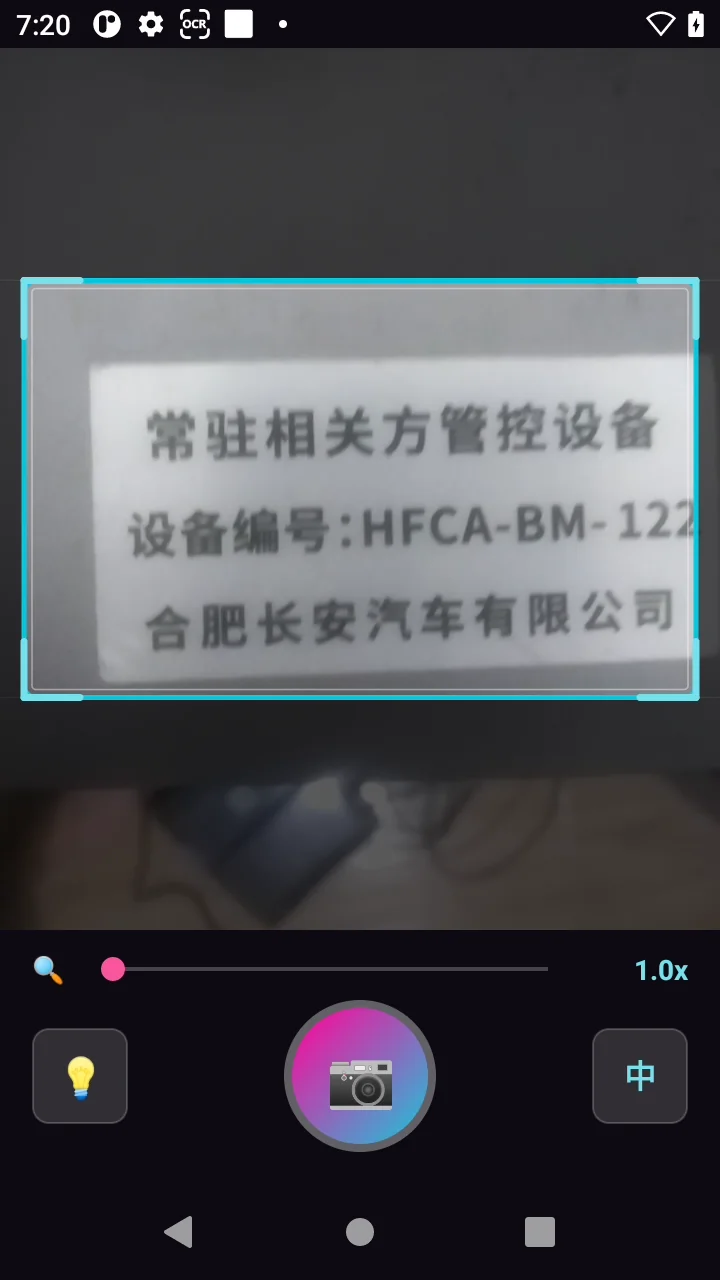
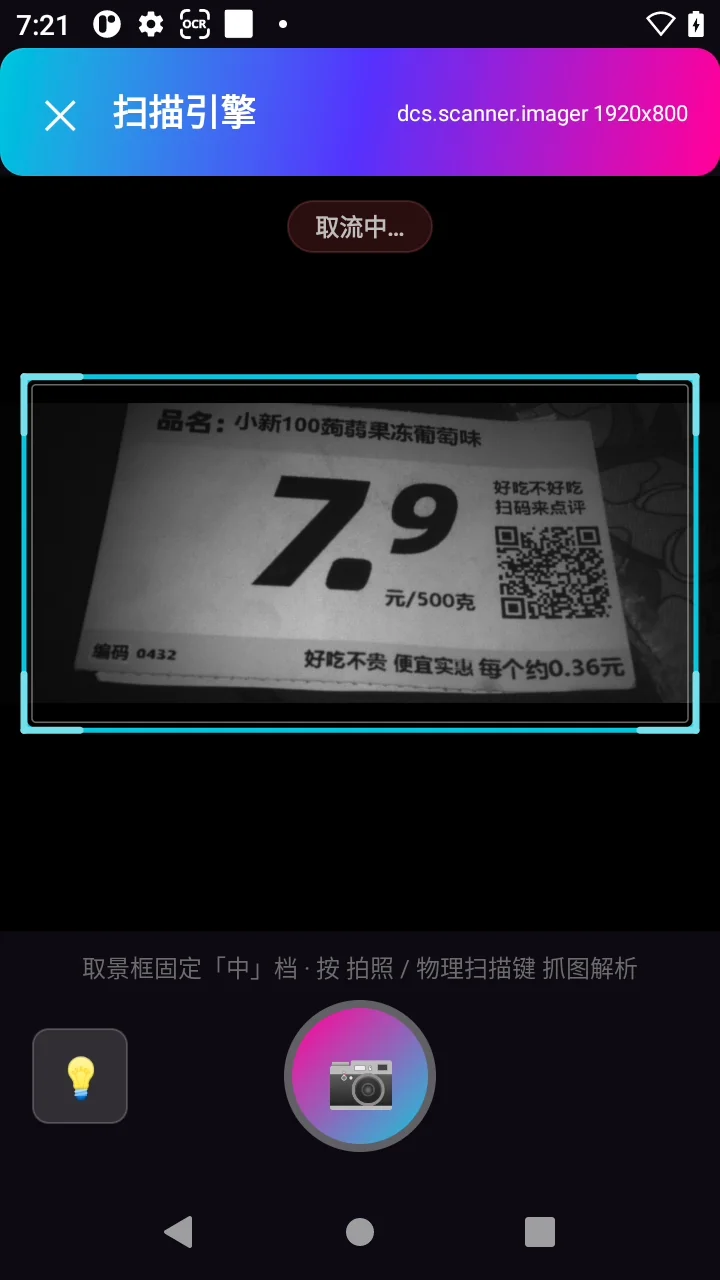
The scan engine frames the shot instead of the camera:
| Trigger | How it works | Typical use |
|---|---|---|
| ⌨️ Physical scan key | The service listens for the PDA’s side/gun key | Most natural for operators on the line |
| 📡 Broadcast | A business app (or a mapped custom key) sends an ocr.scan broadcast |
System-driven capture and integration |
| 🪟 Floating ball | A draggable on-screen ball; tap to capture | Devices without a scan key, tablets, manual capture |
The broadcast channel is what makes integration easy — a business app does not need to bundle an SDK. One line is enough:
1 | Intent intent = new Intent("ocr.scan"); |
| Output channel | Description |
|---|---|
| ⌨️ Accessibility focus injection | Types the text into the currently focused field; handles CJK input reliably |
| 📡 Broadcast output | Sends the result to your app via a configurable action and extra key |
| 🧹 Whitespace trimming | Optional: strip half-width and full-width spaces from the output |
| ⏎ Append Enter | Optional: send an Enter key after a successful read |
Haptic feedback is configurable too (a short buzz on success, two long buzzes on failure) — useful on a noisy production floor.
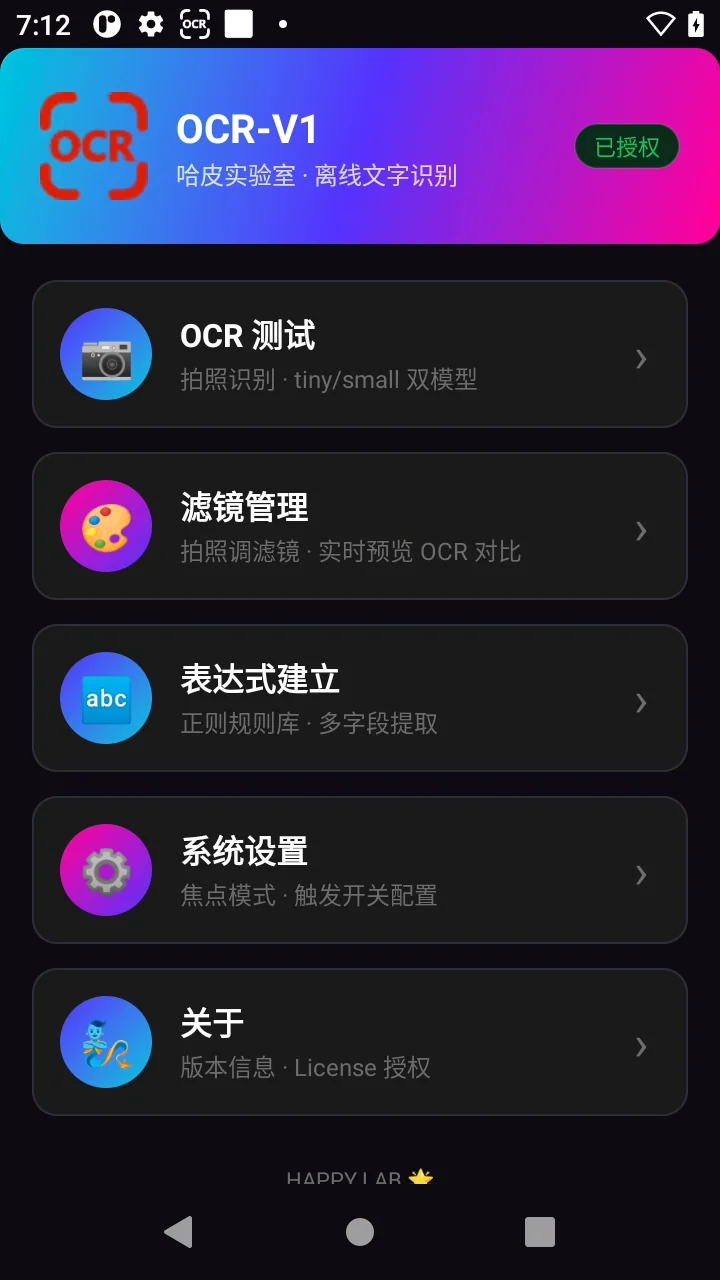
Everything the workflow needs sits in a single app:
| Screen | What it does |
|---|---|
| 📷 OCR test | Full capture-to-result flow: model tier, pre-processing, timing, marked-up image |
| 🎨 Filters | Configure the 15 filters and compare against a manual OCR run |
| 🔤 Rules | Create, edit and test the regex extraction rules |
| ⚙️ Settings | Model, capture mode, output, broadcast, display and floating ball |
| 🧞 About | Version, device SN, licence import and status |
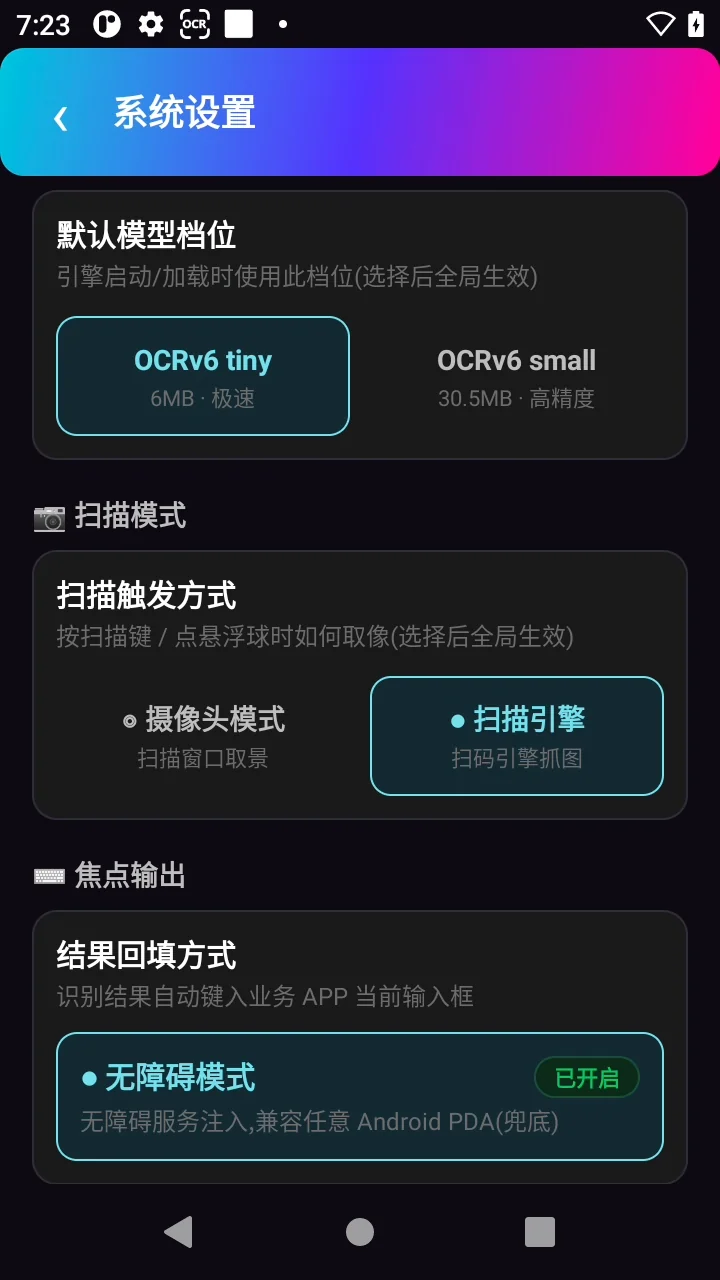
The model runs with ONNX Runtime, with OpenCV handling image processing:
| Tier | Model size | Characteristics | Best for |
|---|---|---|---|
| 🪶 Tiny (default) | 6 MB | Fast; smooth on mid-range PDAs | Production lines |
| 📱 Small | 30.5 MB | Higher accuracy on complex backgrounds | Difficult reads |
A filter chain (white balance, contrast, enhancement — 15 filters in total) can be attached before recognition to handle dark, low-contrast, colour-cast or shadowed captures. A live preview with a manual OCR comparison makes it easy to tune on site.
A regex rule library then pulls only the fields you care about out of the recognised text:
| Capability | Description |
|---|---|
| 📝 Any field | Serial numbers, batch codes, dates, amounts — configure what to extract |
| 🏷️ Named rules | Give each rule a name; results are labelled |
| 🔢 Multi-field output | Multiple matches are joined with a comma |
| ⚙️ Enable / disable | Toggle rules on and off at will |
| 📦 Fallback | With no rule configured, the full recognised text is returned |
1 | Rule: Serial number |
Android-OCR currently supports Brady IPS Android PDAs. Tested models:
| Series | Models |
|---|---|
| EDA | EDA5S · EDA10A · EDA51 · EDA52 · EDA56 · EDA61K |
| CT | CT32 · CT40 · CT45 · CT47 |
| CK | CK62 · CK65 · CK67 |
| RT | RT10A |
Using a non-Brady Android PDA, or a model that isn’t listed? We support additional devices through custom development — contact us with your model and use case.
Android-OCR runs a standard ONNX model on a standard Android inference stack. That choice matters:
| 📦 Offline — Lifetime | 🛠️ Custom development | |
|---|---|---|
| Price | $150 one-time | from $200 |
| Licence | Per-device, SN-bound | Quoted per project |
| Works offline | ✅ | ✅ |
| Scope | Standard OCR app | Data-format output, additional devices, extra languages |
All licences are one-time — no subscriptions, nothing to renew. Additional language versions are $100 each. Full details on the Android-OCR pricing page.
Need a specific output format, a non-Brady device, or another language? Custom pricing starts at $200, depending on the requirement. Tell us what you need.
This global site is brand new, and our online tools are currently in Chinese. Tell us what you need and we’ll set up a fast, tailored solution for you — an English version is coming in the next few weeks.
📧 sales@happylab.me · 🌐 global.happylab.me
HappyLab builds practical AI and browser-based tools for industrial device workflows.
Previous
三个产品,三次发布。 扫描枪 OCR —— 让扫描枪的眼睛看懂世界。固定式 OCR —— 读得懂字符,分得清好坏。Android OCR —— 让 PDA 也有...
HappyLab shared on Sep 13, 2026Next
A fixed-mount reader has seen more than its share of barcodes pretending to be f...
HappyLab shared on Sep 2, 2026