
A missing dot in a colon. A border with its top edge gone. A character that lost a stroke. Defects like these pass a human eye check every time — until a customer returns the batch and the compliance paperwork has already been filed.
Manual visual inspection has three problems that do not go away with more people:
- It misses the small ones. A single missing dot or a broken line is hard for the eye to catch on a moving line.
- It cannot keep up. Print runs move fast, and inspectors get tired.
- It is inconsistent. Two inspectors, two standards — and no record of what was checked.
HappyLab Label Inspection compares each label against your master template and scores it, pixel by pixel. You frame the regions that matter once; from then on every label gets the same standard, the same speed, and a record that can be shown to a customer.
Why template comparison, not deep learning
Both approaches exist. For printed labels they are not equal.
| Template comparison | Deep learning | |
|---|---|---|
| Data needed | One master template plus a few good samples | Hundreds to thousands of labelled defects |
| Small defects | Precise — down to a few dozen pixels | Detection rate is unstable on tiny defects |
| Explainability | Defect location, area and type are explicit | A black box |
| Time to production | Days | Weeks to months |
| Best fit | The same layout, printed repeatedly | Many layouts, or no template at all |
When you print the same label layout over and over from a fixed position, template comparison is the most mature and most stable route in industrial inspection. It is also explainable: when it rejects a label, it shows you exactly where and why.
The hard part: variable data
Here is the problem that breaks a naive template comparison.
A real label carries both fixed content and variable content. The headings, the borders, the decorative elements and the field labels are the same on every label. The values are not:
| Field | Label A | Label B | Label C |
|---|---|---|---|
| Power | -2.00 | -8.00 | -2.00 |
| Expiry | 2030/05 | 2030/06 | 2030/05 |
| Base curve | 8.7 | 14.0 | 8.7 |
| Diameter | 14.0 | 8.0 | 14.0 |
Compare the whole image pixel by pixel and every single label raises a false alarm in those regions — because the values are supposed to differ.
The fix is to separate static from dynamic regions.
| Region type | What it contains | How it is checked |
|---|---|---|
| Static | Field labels, headings, borders, decoration | Strict pixel-level template comparison |
| Dynamic | The printed values themselves — batch, date, weight, code | Print-quality metrics, not content: ink density, edge sharpness, stroke completeness, contrast, OCR confidence, format check |
The dynamic region is not asked “is the content correct?” — it is expected to differ. It is asked “is it printed well?“ That single distinction is what makes template comparison work on a real label.
The split can be learned automatically — compare several good labels and the pixels that never change are static, the ones that always change are dynamic — and an operator can override the result by hand.
What it detects
| Defect | How it is caught |
|---|---|
| 🔵 Missing ink | Template says black, the label reads white |
| ⬛ Missing border | Edge continuity scan along the border |
| ✏️ Broken character stroke | Stroke and skeleton comparison inside the region |
| 💧 Smudge or ink spray | Reverse comparison plus connected-component analysis |
| 〰️ Streak or broken line | Edge continuity plus connected components |
| 🌫️ Blur or ghosting | Edge sharpness and frequency analysis |
| 🎨 Colour shift | Lab colour space |
| 🔤 Wrong content | OCR plus a rule check on the variable region |
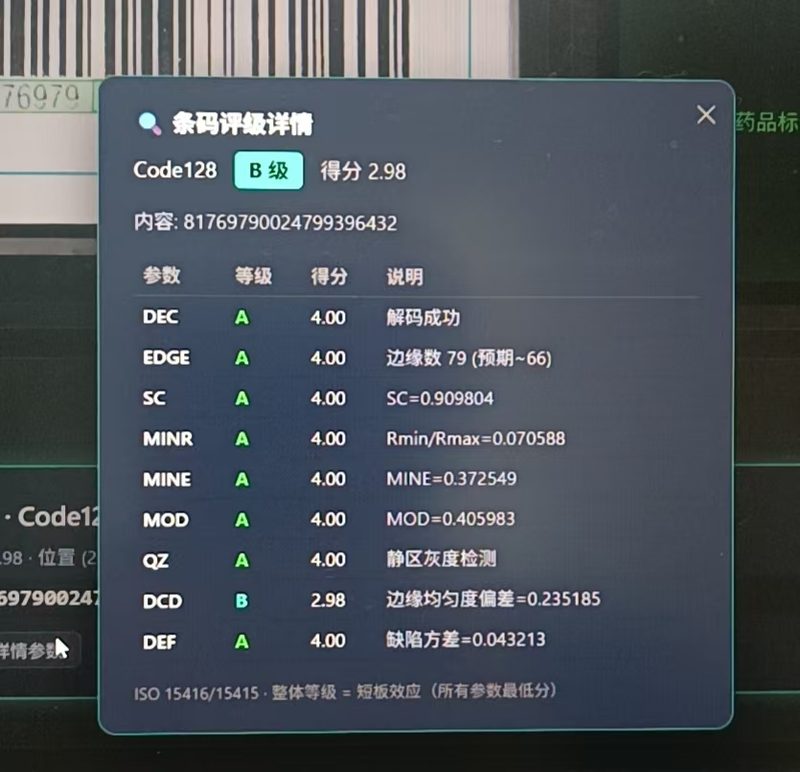
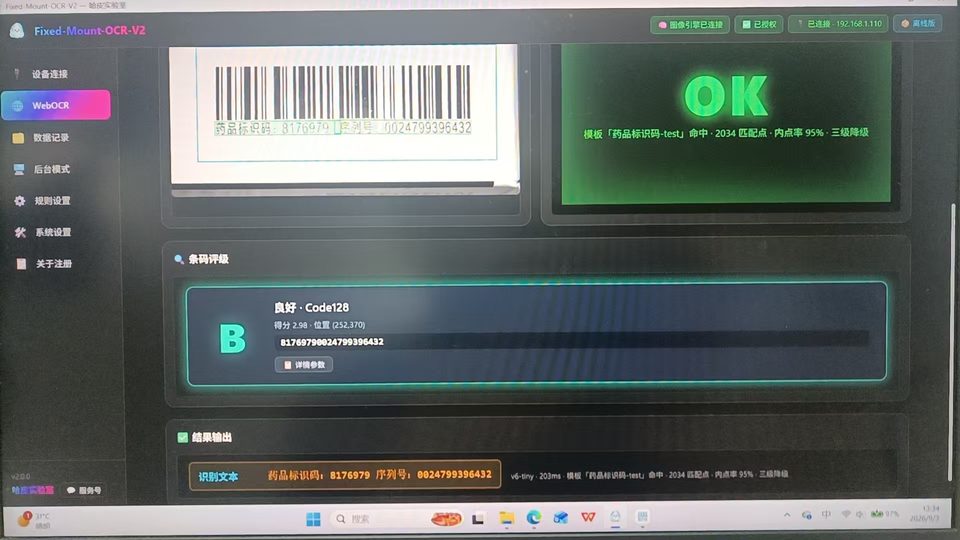
| ▪️ Poor barcode quality | The barcode grading engine is reused directly |
How it works
1 | Image in (from file or directly from the camera) |
- Registration compensates for small shifts, so a fixed camera position is enough. Sub-pixel alignment handles the rest.
- Per-region scoring — every region is scored 0–10 on its own, so a single bad field does not have to be guesswork.
- Weights you control — give a critical field a heavier weight than a decorative border. The final score is explainable, not a black box.
- PASS / FAIL out — a clear result, with the annotated image showing where the defect is.
Where it fits
| Scenario | The pain | How it helps |
|---|---|---|
| 🏭 High-speed label printing | Micro defects slip past a human check | Every label scored to the same standard, at line speed |
| 📦 Pre-shipment check | A bad batch is only found by the customer | Catch it before the pallet leaves |
| 🔍 Incoming material | Supplier print quality varies | One criterion, archived for every batch |
| 📋 Compliance and traceability | “We checked it” is not evidence | A stored score and image for every label |
Requirements and limits
- Template: one master template per label layout, with the regions marked. Layout changes need a new template — this is a feature, not a bug: the template is exactly what sets the standard.
- Camera: a fixed-position industrial camera gives the most consistent result. Ordinary images work for offline spot checks.
- Calibration: label 30 to 50 good samples and about 20 defect samples to set thresholds for your product. This step decides the sensitivity.
- Interface language: Chinese today; the English build is in progress.
- Fully offline: the engine runs on your own hardware; images stay on site.
Try it or talk to us
Send us a photo of a good label and one of a bad one, and we will tell you what the inspection would have caught. To see the tool in action, open the online inspection tool.
Related reading: Fixed-Mount OCR V2 shows the same line-side approach combining OCR with barcode grading, and Barcode Quality Grading covers the grading engine that the label inspector reuses.
💬 Questions or a custom requirement?
Tell us what you print and what you need to catch, and we will set up a fast, tailored version — including a calibration run on your own samples.