Ring OCR: Read Text on Dials and Print Wheels
Most OCR engines are built for text that sits on a horizontal line. Which is fin...
 HappyLab shared on Sep 25, 2026HappyLabshared on Oct 12, 2026
The hardest part of site work is not the work. It is getting a message to the right person, right now.
On a production line, in a warehouse or on a service route, the real delay is rarely the equipment. It is the communication that broke down: a message that never landed, an instruction lost while two people talked over each other, an urgent call that left no record behind.
Happy Lab’s Real-Time Voice Intercom is a private voice platform for site teams. It runs on Android and in any browser, ships with a full admin console, and deploys on your own server — so your voice and data never leave your infrastructure.
TIP
New global site. The client and admin console are live at global.happylab.me/intercom/, with an English and Simplified Chinese interface. This page explains the platform; contact us for a demo account, or read on for pricing.
Two-way radios earned their place on site. Press a key, talk, everyone hears — that model has carried field teams for decades. The problem is that today’s sites ask for more than a radio can give.
| The old problem | What it costs on site |
|---|---|
| Coverage depends on repeaters | Steel structures, tall racking and basements kill the signal — the moment you need it most |
| One talks, everyone waits (half-duplex) | People talk over each other, and urgent calls get buried |
| No priority, no grouping | Broadcasts, private calls and groups mean “switch channels” — clunky under pressure |
| No record of anything | When something goes wrong, it becomes one person’s word against another’s |
| Devices are hard to manage | Who has which radio, who is online, who may broadcast — all tracked by hand |
| Cut off from your systems | Voice stays an island; it never reaches a work order or a log |
WARNING
Radio answers one question: can I get through? Today’s sites also ask: can I reach the right people, control it, review it, and connect it to the rest of the business?
The Real-Time Voice Intercom turns “the radio” into a platform that is manageable, extensible and reviewable. Four ideas carry the whole thing:
Four core strengths
This release is the Basic version — the full core: real-time intercom, room management, broadcast and the admin console. Need recording, transcription, AI or system integration? Those come in the Advanced and Enterprise versions (see Versions and roadmap).
| Module | What it does | What it solves |
|---|---|---|
| 🏠 Room management | Create and organise intercom rooms for different areas and scenarios | One workshop, one channel; one line, one room — separate conversations, no crosstalk |
| 📢 Voice broadcast | One-tap announcements to everyone or a chosen area | Emergency notices and site-wide calls, pushed in a single action |
| 👥 User management | Add, edit and remove users; assign permissions | Who may enter a room, who may broadcast — the console decides |
| 🗂️ Groups | Build groups for how your teams are actually organised | Organise by crew, department or role; stop hunting for people |
| 📜 Logs | A complete record of activity, easy to search and review | Who called whom, and when — one search away |
| 🧭 System settings | Site, voice, session, room and log settings in one place | Administrators configure everything without running around |
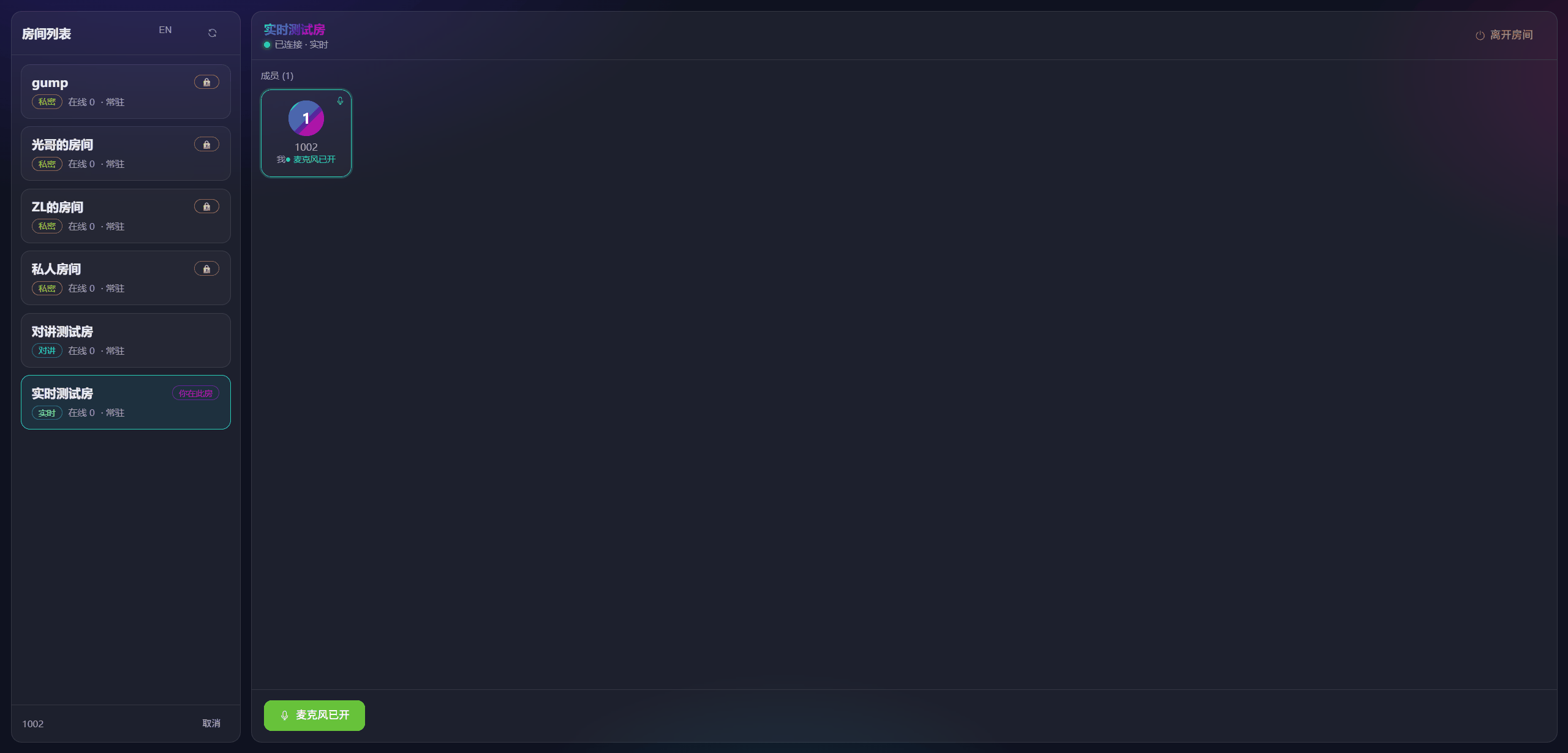
One platform, three roles, each with the right tool.
1 | ┌──────────────────────────────────────────────┐ |
The Android app is available on request while we finish the public build. Email us and we will send the APK and a demo account.
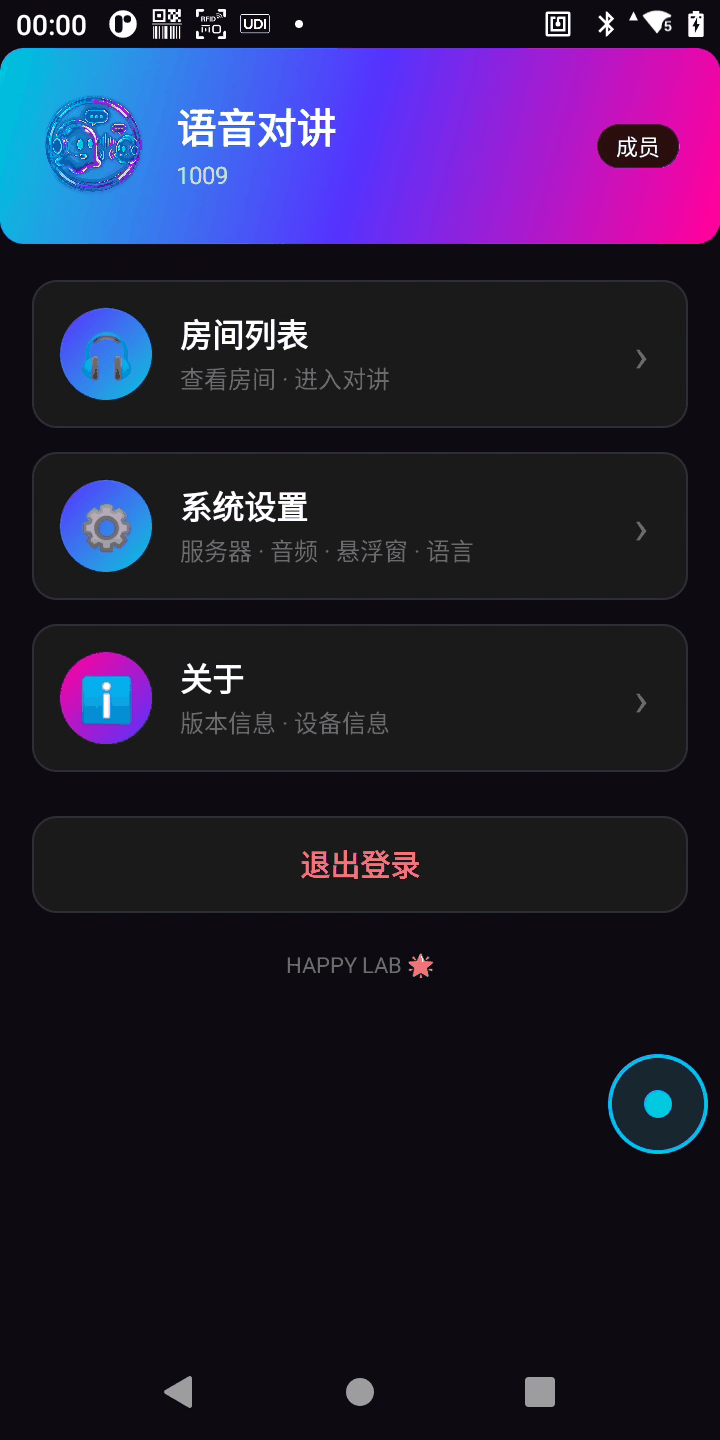
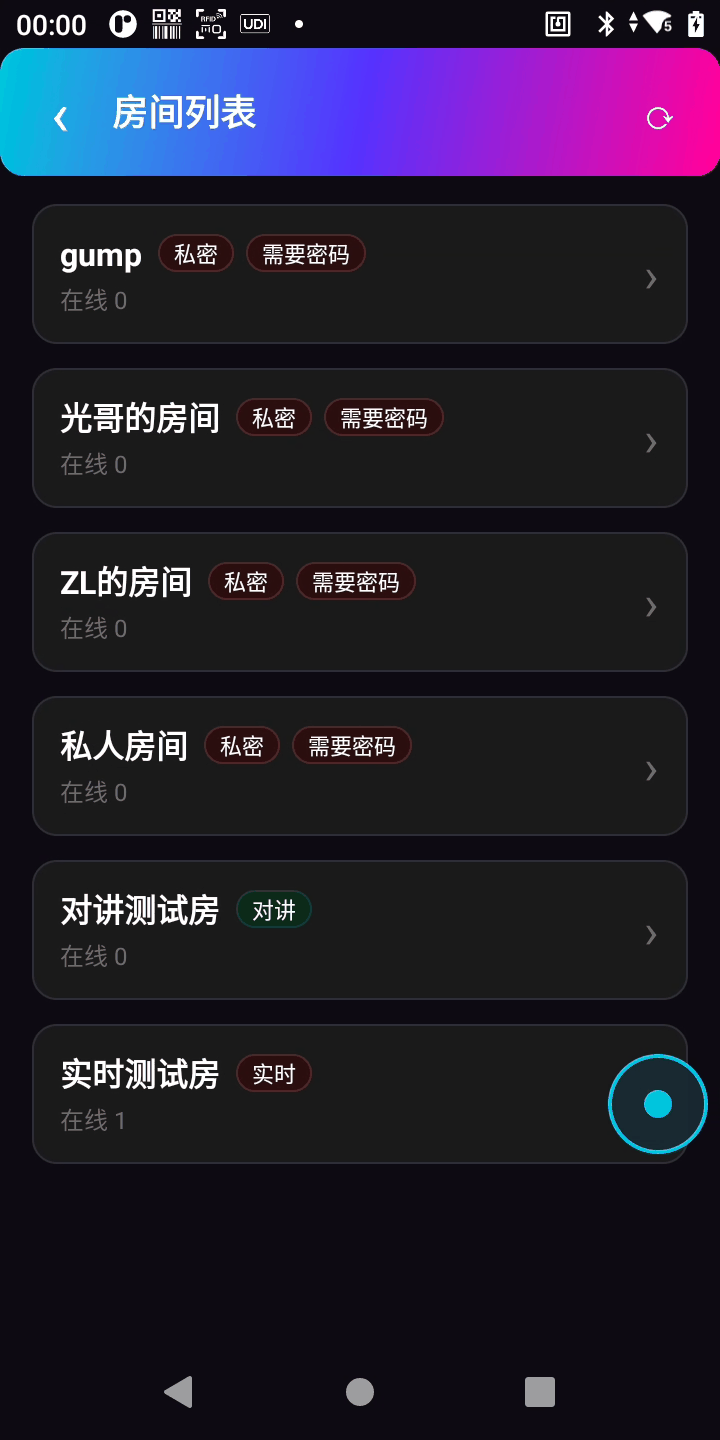
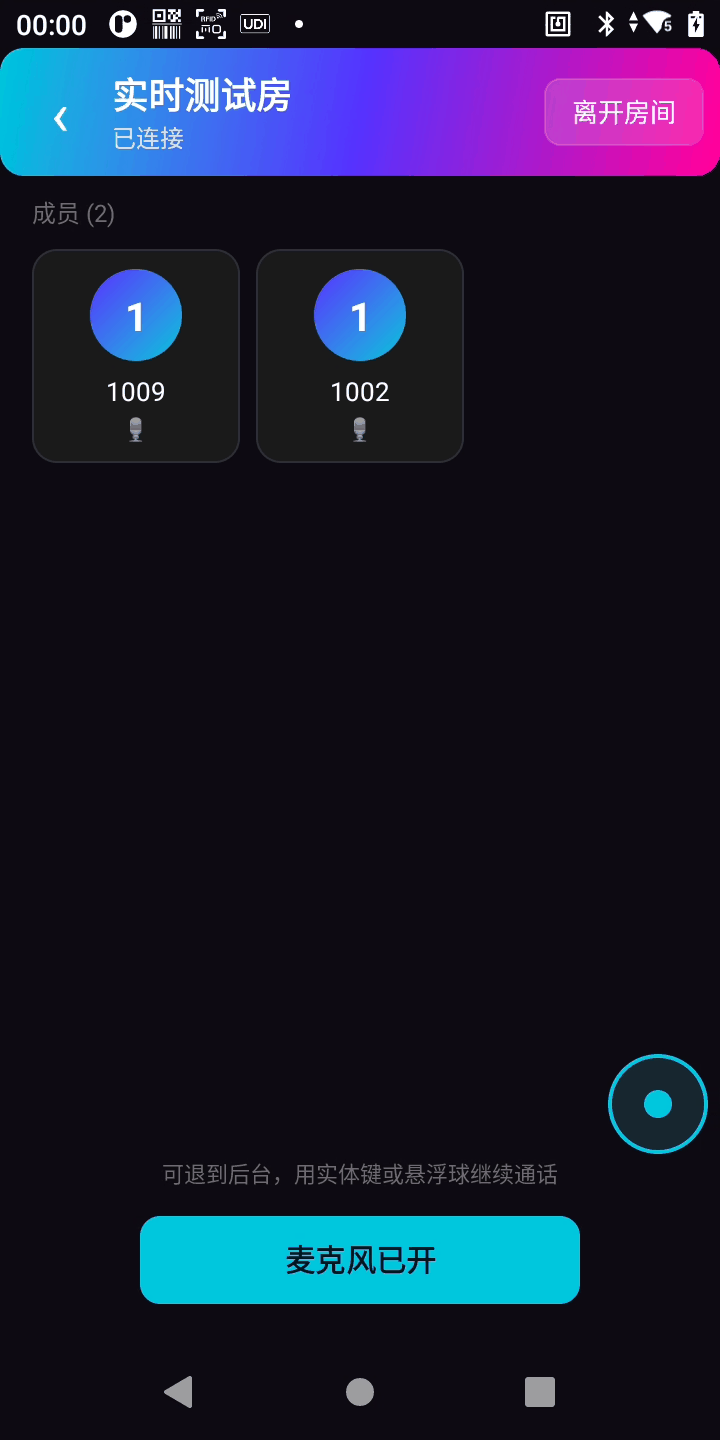
New PC in the control room? Send a URL. No software, no drivers, no “installation failed” support call.
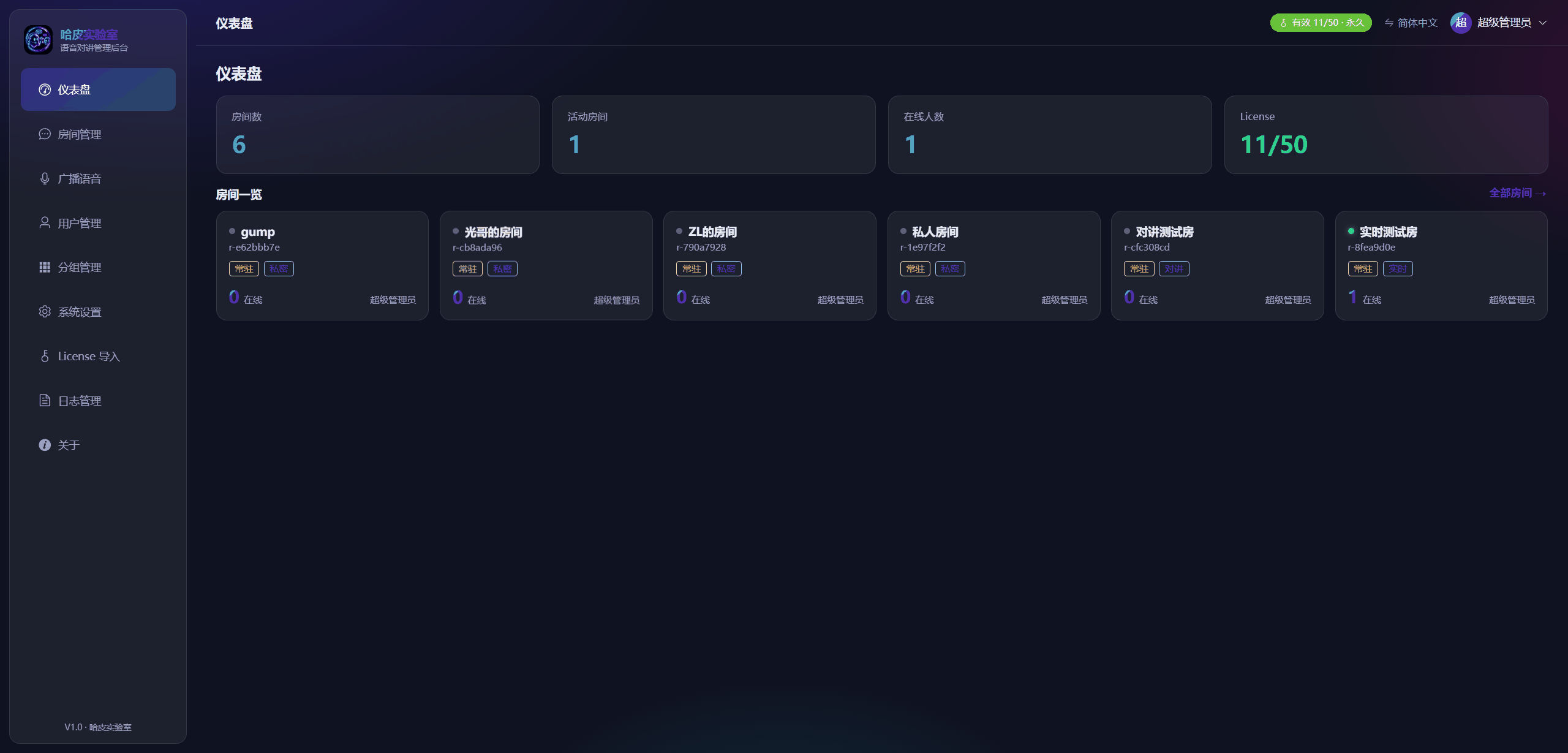
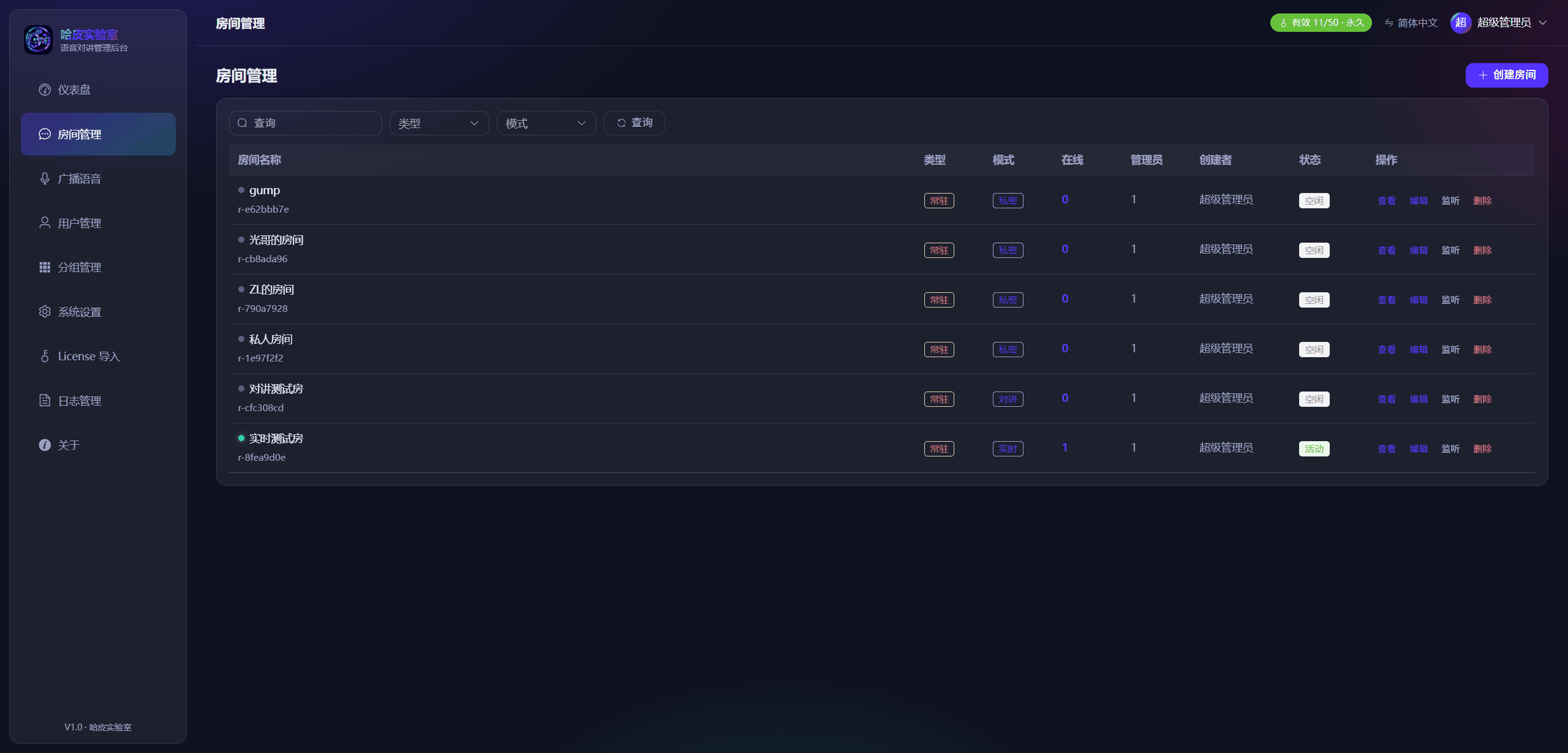
People, rooms, broadcasts and data — managed from a single console.
| Capability | What it does |
|---|---|
| 📊 Dashboard | Room cards and live headcount, driven by real runtime state |
| 🏠 Room management | Create, review and delete rooms; assign admins and members; listen in |
| 👥 Users and groups | Create, edit, freeze, reset passwords; multi-level group membership |
| 📢 Broadcast | Record, upload and push announcements to every endpoint |
| 📜 Logs | Admin operation log and user-behaviour log, with a configurable retention period |
| 🎫 Licensing | Machine-fingerprint licensing, securely issued and verified |
| 🌐 Bilingual UI | Switch between English and Simplified Chinese |
| 👀 Silent monitoring | An admin can join a room invisibly to listen in without disturbing the floor |
The same platform, on different sites, solves the same problem: the people who need to speak can speak, whenever they need to.
:::details More scenarios
Campus security, facilities and property management, fleet dispatch, large events, hospital logistics, emergency coordination — anywhere a group of people needs to call each other instantly. Tell us about your site and we will work out how it lands.
| Strength | What it means |
|---|---|
| ⚡ Reliable | Built on established real-time standards; survives weak networks and reconnects on its own |
| 🔒 Secure | Self-hosted — data stays on your server, and call audio is access-controlled rather than exposed on a public link |
| 🖱️ Simple | Browser sessions start instantly, and the Android app works like a radio. No training curve |
| 📱 Multi-device | Browser plus native Android; one account works everywhere |
We keep the jargon light. The design principle is proven media technology plus a thin, self-developed business layer — secure, stable and easy to extend.
| Layer | What it does | Why it matters |
|---|---|---|
| Endpoints | Browser and native Android app | Deploy once; everyone uses the device they already have |
| Access layer | An encrypted gateway that terminates signalling and APIs | A clear security boundary, with controlled permissions |
| Media layer | Real-time voice over a relay (SFU) architecture | Low latency and it scales — a busy channel stays smooth |
| Business layer | Auth, rooms, floor control, broadcast, logs (in-house) | Flexible to customise; upgrades never touch the engine below |
| Data layer | Local database and file storage you own | Your data stays yours |
Why a relay architecture?
Simply put: participants do not connect to each other. The platform relays and arbitrates for everyone. The practical payoff is that it stays stable as numbers grow and as networks get messier, and that the right to speak is arbitrated server-side — so two people cannot collide mid-sentence.
There is full design documentation on the real-time media stack, authentication, floor-control arbitration and self-hosted deployment. If you are an integrator or an enterprise IT team, get in touch and we will work through the best fit for your network.
One platform that grows with you. This release is the Basic version; above it sit two more. Each builds on the same foundation, so nothing gets thrown away and nothing is built twice.
| Version | Positioning | Core capabilities | Best for |
|---|---|---|---|
| 🟢 Basic (this release) | Ready to use | Android + browser + admin console · one person, one room · intercom / open / private modes · server-side floor control · voice broadcast · users, groups, rooms, logs, permissions | Most sites that just need the talking to work |
| 🔵 Advanced (custom) | Record and connect | Recording and traceability · speech-to-text · TTS broadcasts · user app SDK · control-system integration | Teams that need records and want voice wired into existing systems |
| 🟣 Enterprise (custom) | AI and business fusion | AI control · Skill + MCP integration · business voice-interaction scenarios | Teams that want AI to drive the workflow end to end |
| Capability | What it does | Why it matters |
|---|---|---|
| 🎬 Recording and traceability | Record calls, search by room, person or time, replay online and archive | When something happens, there is an answer you can prove |
| 📝 Speech-to-text | Batch transcription and live captions, with full-text search and keyword hits | Voice becomes searchable text — no listening through clips one by one |
| 🔊 TTS broadcasts | Type a message and have it spoken aloud, with no pre-recording; can fire from third-party alarms | Notices go out the moment they are written; alarms announce themselves |
| 🧩 User app SDK | A packaged voice SDK to embed the intercom into your own app or system | Voice lives inside your product, without changing how users work |
| 🔌 Control-system integration | Integration with your existing systems (access control, video, work orders, device control) | Voice connects to what you already run — no more island |
| Capability | What it does | Why it matters |
|---|---|---|
| 🤖 AI control | Put an AI assistant in the room: it listens, understands and responds | A dispatcher that never tires |
| 🧠 Skill + MCP integration | Wire AI into your workflows through Skills and the Model Context Protocol | AI can call your business capabilities, from “talk” to “do” |
| 🗣️ Business voice scenarios | One spoken line drives a business action (“call bay three”, “log zone A complete”, “check stock SKU123”) | Voice drives the workflow, end to end |
Why upgrades stay smooth
All three versions share the same real-time platform. Recording, transcription, AI and integration are layered on top — the foundation does not move. Start on Basic, upgrade when you need to; there is no big up-front spend.
Every license is a one-time purchase. No subscriptions, nothing to renew — buy once and use it permanently.
| 🟢 Basic | 🔵 Advanced | 🟣 Enterprise | |
|---|---|---|---|
| Price | $50 / user one-time + $300 deployment | Custom | Custom |
| Android + browser client | ✅ | ✅ | ✅ |
| Admin console, rooms, groups, logs | ✅ | ✅ | ✅ |
| Voice broadcast | ✅ | ✅ | ✅ |
| Recording & traceability | — | ✅ | ✅ |
| Speech-to-text / live captions | — | ✅ | ✅ |
| TTS broadcasts | — | ✅ | ✅ |
| User app SDK / control-system integration | — | ✅ | ✅ |
| AI control, Skill + MCP, voice-driven workflow | — | — | ✅ |
Self-hosted deployment is a one-time $300 fee covering setup and go-live on your own server. User licenses are $50 each, one-time — a 50-user team is $2,800 total, permanently, with no recurring cost.
How that compares. Subscription walkie-talkie software typically runs around $8 per user, per month — roughly $96 per user, per year. A 50-user team on that model pays about $4,800 every year; on our one-time pricing the same team is $2,800 in total. Full details on the Voice Intercom pricing page.
Your data does not leave your building. The whole platform runs on your own server, and the footprint is small: the relay architecture means the service idles at tens of megabytes and each connection costs only a few more.
| Scale | Suggested server | Bandwidth | Notes |
|---|---|---|---|
| Up to 50 users | 2 vCPU / 2–4 GB RAM / 20–40 GB disk | ~10 Mbps | Ample for push-to-talk; a standard business VM is enough |
| 50–200 users | 4 vCPU / 4–8 GB RAM / 50–100 GB disk | 20–50 Mbps | Bandwidth scales with how many speak at once, not headcount |
| 200+ users / with recording | 8+ vCPU / 8–16 GB RAM / large SSD | Sized to concurrency | Recording and transcription are best on a separate machine |
Why the footprint is small
Real-time voice is relayed from a central server to the room, so participants never interconnect. As numbers grow, the pressure lands on bandwidth, not CPU or memory. In testing, 200 users on pure push-to-talk needed only about 6–8 Mbps.
If you enable recording, budget storage separately
With recording on, each audio track is roughly 10–15 MB per hour (efficient audio coding). For a 50-user site averaging five concurrent speakers on a working day, that is around 15–20 GB per month — plan the disk (or object storage) accordingly.
Self-hosted deployment is Linux only (x86_64 / arm64), delivered one of two ways:
| Route | What you get | Best for |
|---|---|---|
| 📘 Deployment guide + tar package | A single self-contained bundle (with a portable runtime — no environment to install) plus a step-by-step guide; one command brings up the stack | Customer IT or integrators who run their own servers |
| 🤖 AI Skill auto-deploy | A deployment Skill that lets your AI agent perform the install and acceptance checks | Teams that want a one-prompt deployment |
Mainstream x86_64 and arm64 distributions (Ubuntu, Debian, CentOS, Alibaba Cloud Linux and similar). Because the media relay engine has no native Windows build, self-hosting is Linux-only — which is also part of why it stays light, stable and cheap. The deployment guide lists the exact supported matrix and pre-flight checks.
| Entry point | Address |
|---|---|
| 🌐 Browser client (PC / mobile) | global.happylab.me/intercom/ |
| 🛠️ Admin console | global.happylab.me/intercom/admin/ |
| 📱 Android app | On request — email us |
To try it you need:
One browser quirk
The first time you join a room in the browser, you will need one click to allow the microphone — that is a standard browser security step. Broadcast audio works the same way: one click and it plays.
We would rather be upfront than have you find out later:
We sell more than software — we deliver a communication solution you can shape:
| Engagement | What it covers |
|---|---|
| 🏢 Self-hosted deploy | Installed on your own server; your data stays in-house |
| 🎨 Custom development | Rooms, permissions, broadcasts and integrations built around your workflow |
| 🔌 System integration | Wired into your existing systems (work orders, logs, PDAs, scanning) |
| 🏷️ OEM / white-label | Rebrand it and ship it as your own product |
| ⬆️ Upgrades | Move from Basic to Advanced or Enterprise with no rebuild |
Tell us about your site and how your teams talk today, and we will tell you whether the Basic version fits or you need a tailored build.
📧 sales@happylab.me · 🌐 global.happylab.me
Happy Lab builds practical AI and browser-based tools for industrial field workflows.
Next

Most OCR engines are built for text that sits on a horizontal line. Which is fin...
HappyLab shared on Sep 25, 2026